
Word, Excel en de andere Office apps installeren op je computer
Zo download en installeer je Word, Excel, PowerPoint en Outlook op je pc of Mac met je Microsoft 365 account. Op maximaal 5 computers.
1 min leestijdBijgewerkt op
Word, Excel en de andere Office apps installeren op je computerMicrosoft 365
Met je Microsoft 365 account kan je de volledige Office apps (Word, Excel, PowerPoint, Outlook en meer) op je computer installeren.
Zo installeer je Office
- Ga naar portal.office.com/account en log in met je Microsoft 365 e-mailadres en wachtwoord.
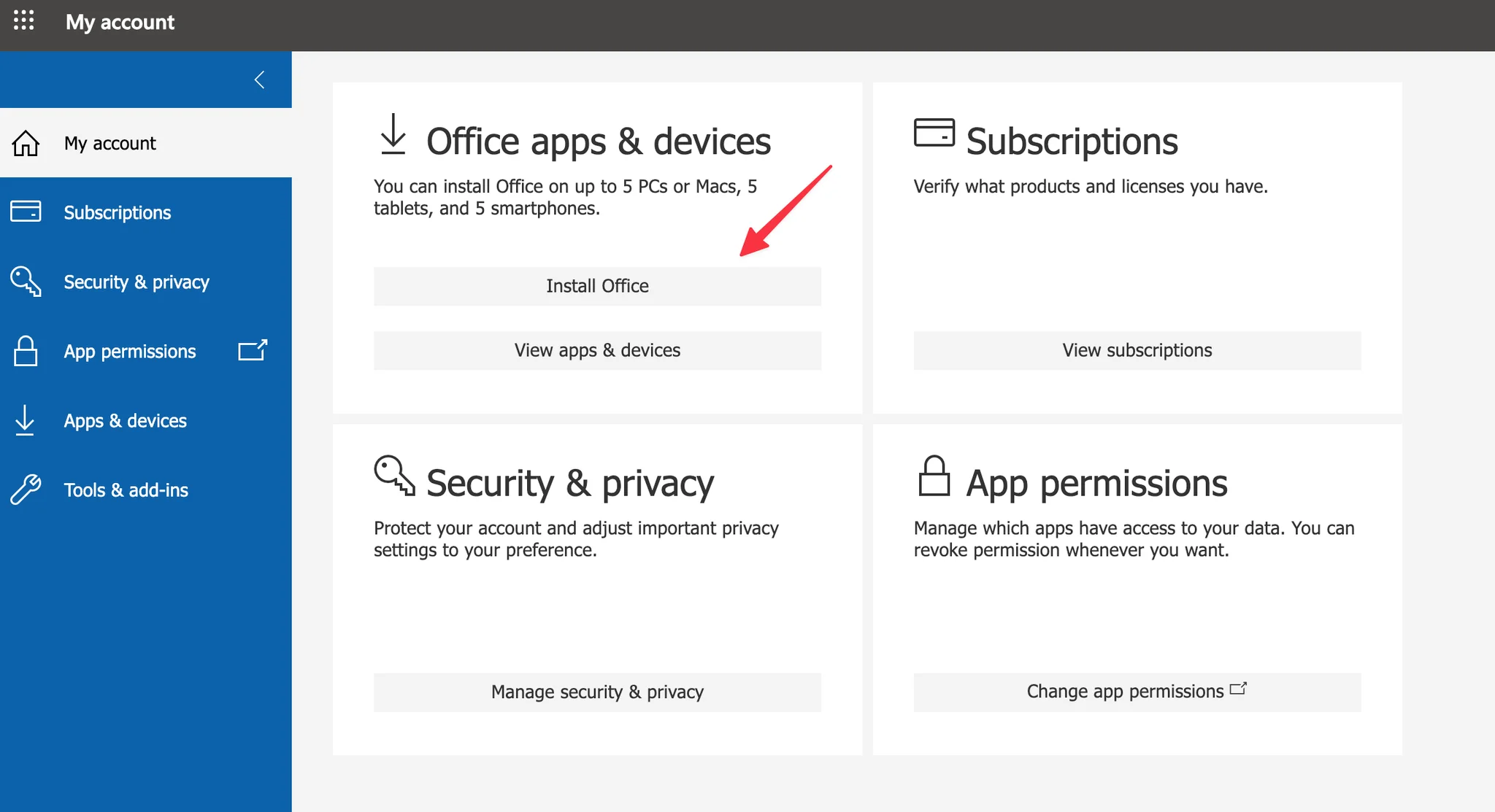
- Klik bij Office apps & devices op Install Office.
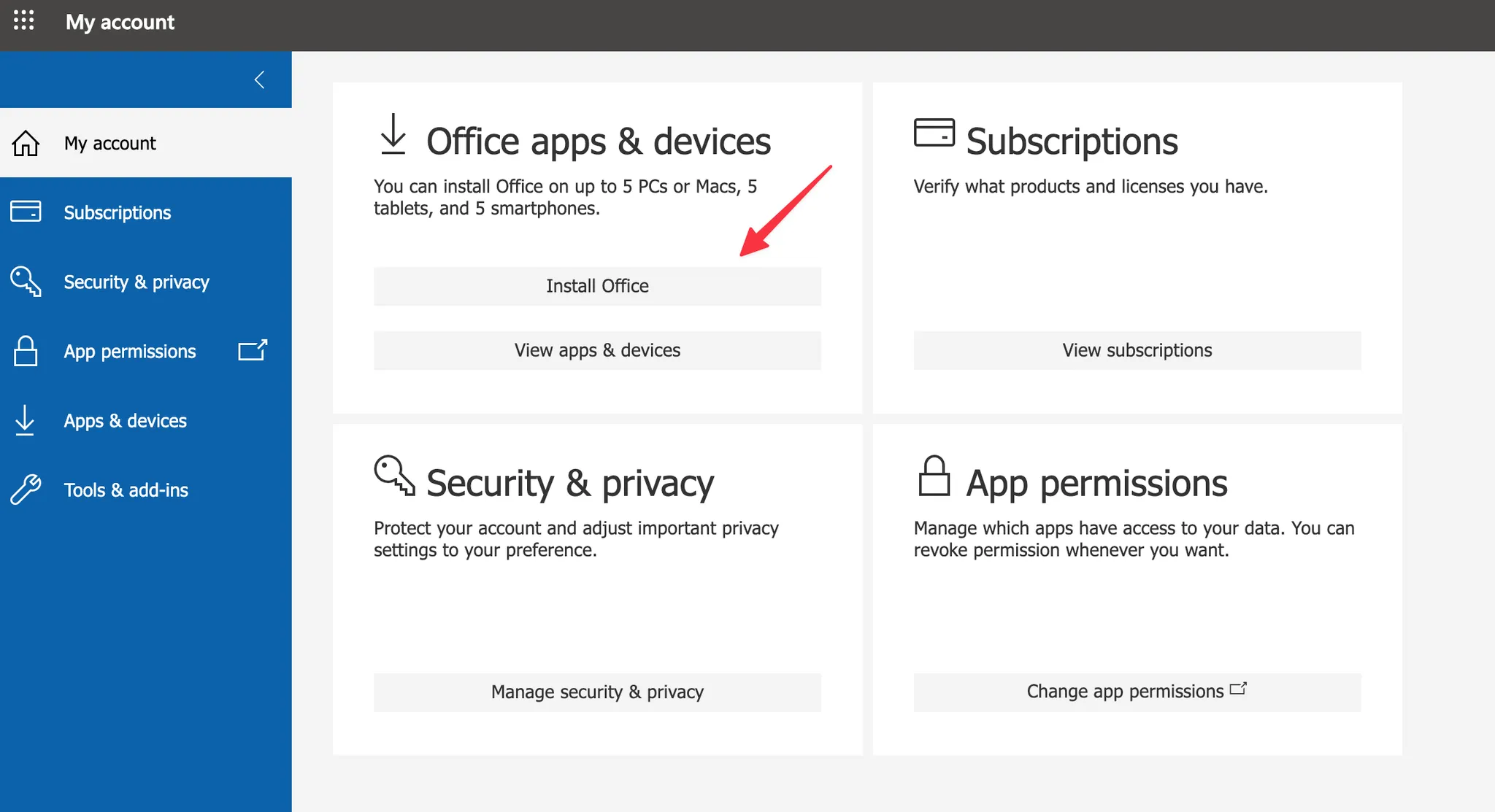
- Het installatiebestand wordt gedownload. Dubbelklik erop om Office te installeren en volg de stappen op het scherm.
- Open daarna Word of Excel en meld je aan met je Microsoft 365 account om de apps te activeren.